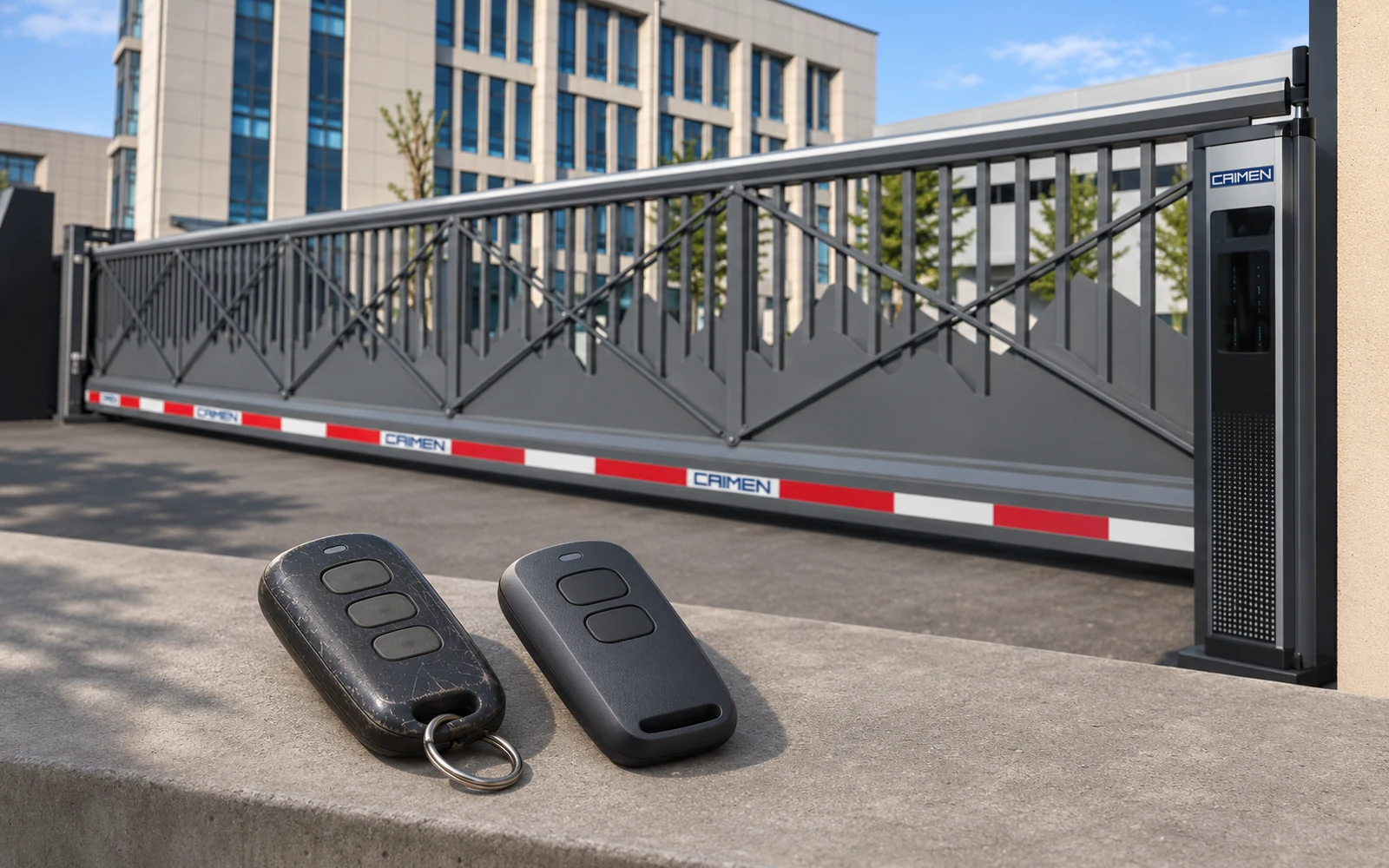
Your old remote still opens the gate, but the new one won’t pair. Before you reset anything, identify the receiver that actually picks up the signal and check the new remote against that receiver’s compatibility list. The same brand, frequency, or case design alone doesn’t tell you whether a remote will work.
At CAIMEN, we suggest starting with the job you need to do: add a spare, get an existing remote working again, or replace one that’s gone missing. Each calls for a different approach. Adding a new remote doesn’t automatically remove an old one, and a remote that suddenly stops working may still be registered. At a shared entrance, ask the property manager or access administrator to confirm who can make changes.
Identify the receiver before you buy a remote
The handheld remote transmits a signal. The receiver picks it up and passes a request to the gate operator. The receiver may be built into the operator, or an installer may have added a separate unit. If the receiver has been replaced or added later, buying a remote based only on the brand and model printed on the operator can leave you with the wrong part.
Check the installation records, manuals, and labels you can see safely from outside the equipment. Note the operator model, receiver model, and existing remote model. If a label is missing or you can’t tell which receiver is in service, send the installer a photo of the accessible labels and the remote’s case, along with any records of equipment changes. Leave powered control cabinets closed and keep access codes private.
| What you know | What it tells you | What to check next |
|---|---|---|
| Operator make and model | Which manual and original accessories to look up. | Whether a separate receiver was added or replaced. |
| Receiver model | Which remotes the receiver supports and where to find its enrollment instructions. | Whether the new remote is listed for your model and, if applicable, its region or version. |
| Old remote model and frequency | Which replacement options are worth checking. | Whether the new remote also uses a coding protocol the receiver supports. |
| The replacement is labeled “universal” | It’s intended for more than one system. | Whether your receiver is listed and whether you need any additional hardware. |
How to program or replace a gate opener remote
Adding a spare: keep the working remotes enrolled
Once you’ve confirmed compatibility, look for the section on adding a remote or enrolling a transmitter in the manual for the receiver in service. Some systems use a Learn button, a menu, or an indicator light. On some equipment, the same button or menu also clears stored remotes. Confirm that the procedure adds one remote and leaves existing entries intact.
Have an authorized user follow the instructions for that model. If the work requires opening the control cabinet or signing into a shared access system, leave it to the installer or administrator. Test from a safe spot with a clear view of the gate and keep people, vehicles, and objects clear of its path. Check that the new button operates the intended gate and that the existing remotes still work. If the remote controls several entrances, check each button and entrance separately.
Reprogramming a gate remote that stopped working
If one remote suddenly stops working, compare it with a working, authorized remote from the same safe spot. Check the faulty remote for a stuck button, signs of a drop or water exposure, and problems with the battery. Use the battery type specified in the manual. An indicator light shows that the remote is getting some power; it doesn’t prove the receiver got or accepted the signal.
If the other remotes work and you’ve ruled out obvious battery or handset problems, check the manual to see whether the faulty remote needs to be enrolled again. If every remote stops working around the same time, especially after a power cut, a repair, or a receiver replacement, ask the installer to check the receiver and operator before reprogramming them one by one. If the gate responds to the command but stops, reverses, or never finishes closing, see our guide to why an automatic gate won’t close.
Replacing a lost remote: confirm that old access is removed
A replacement remote won’t disable the missing one. Ask the installer or administrator whether the system can identify and remove that specific remote. If it can, confirm when access was removed and which entrances were updated. If the system can only clear the whole group of stored remotes, the person responsible should identify who will be affected and arrange to restore valid access before making the change. Clearing remotes is separate from adjusting the gate’s open and close limits. Other credentials may also be managed separately.
At a shared entrance, have the property manager coordinate the response so residents, staff, and service providers don’t lose access unexpectedly. See our guide to managing HOA gate access for more on issuing and revoking credentials.
What to tell your gate installer
- The old remote works; the new one has never worked. Send both model numbers and, if available, the listing for the new remote. Ask the supplier to check the replacement against the installed receiver and version.
- The remote sometimes works close to the gate but fails from the usual spot. Note where you were standing, whether every remote behaves the same way, and whether anything on site has changed. Start by investigating short range.
- The receiver appears to respond, but the gate doesn’t move as expected. Record what the indicator did, when it happened, and how the gate moved. A receiver can accept a request even when the operator can’t complete the movement.
The most useful service notes include the equipment models, any recent work, which authorized remotes still work, and what the gate does after a command. If you also need to issue and revoke access for visitors or staff, our guide to remote gate access control compares options beyond handheld remotes.
Frequently asked questions
Do I need to reprogram my gate remote after changing the battery?
Try it first from a safe position after fitting the specified battery. If there’s still no response, consult the manual and check the battery contacts, the handset, and whether the receiver responds to another authorized remote.
Will two remotes on the same frequency work with the same gate?
Not necessarily. The receiver must also support the remote’s coding protocol and specific model. Check the manufacturer’s compatibility list or ask the installer to confirm.
Can one remote control two gates?
Yes, if both receivers support the remote and you’re authorized to use both entrances. Extra buttons alone don’t guarantee compatibility. After enrollment, test which gate responds to each button.
Will a lost gate remote stop working after I pair a new one?
Pairing a new remote doesn’t automatically revoke the lost one. Ask the access administrator or installer to confirm that the missing remote was removed from each affected entrance.
Can I follow Learn-button instructions I found online?
Check the exact receiver model and manual first. Buttons and confirmation signals vary, and choosing the erase function can remove working remotes. For a shared gate, the administrator should arrange any changes.